
-
Get Started
-
REST API
- Authentication
- Rate Limiting
- Error Codes
- Upload Media
- Fonts
-
Creative Generation
- Images
- PDFs
- Videos
-
Templates
- Templates
- Template Collections
- Layers
-
MCP
-
Editor SDK
- Introduction
- Authentication
- Theming
- Async Initialization
- Versions
-
Components
- Editor
- Canvas
-
Examples
- Editor Examples
- Canvas Examples
-
URL API
-
WordPress Plugin API
-
Integrations
-
Libraries
Introduction
Placid MCP
MCP (Model Context Protocol) is a standardized way to make external tools and APIs like Placid available in AI workflows and tools.
With our MCP, you can use Placid like a plugin for your AI applications. They will know exactly how the Placid APIs & SDKs work, and they can turn your natural language prompts into generated creatives.
Usage
You can use our Placid MCP in two ways:
1. Creative Automation with Natural Language Prompts
Use natural language or semi-structured input to describe what asset you want to produce. The MCP will map your intent to your Placid templates to generate images, PDFs and videos.
This makes complex creative automation scenarios very accessible.
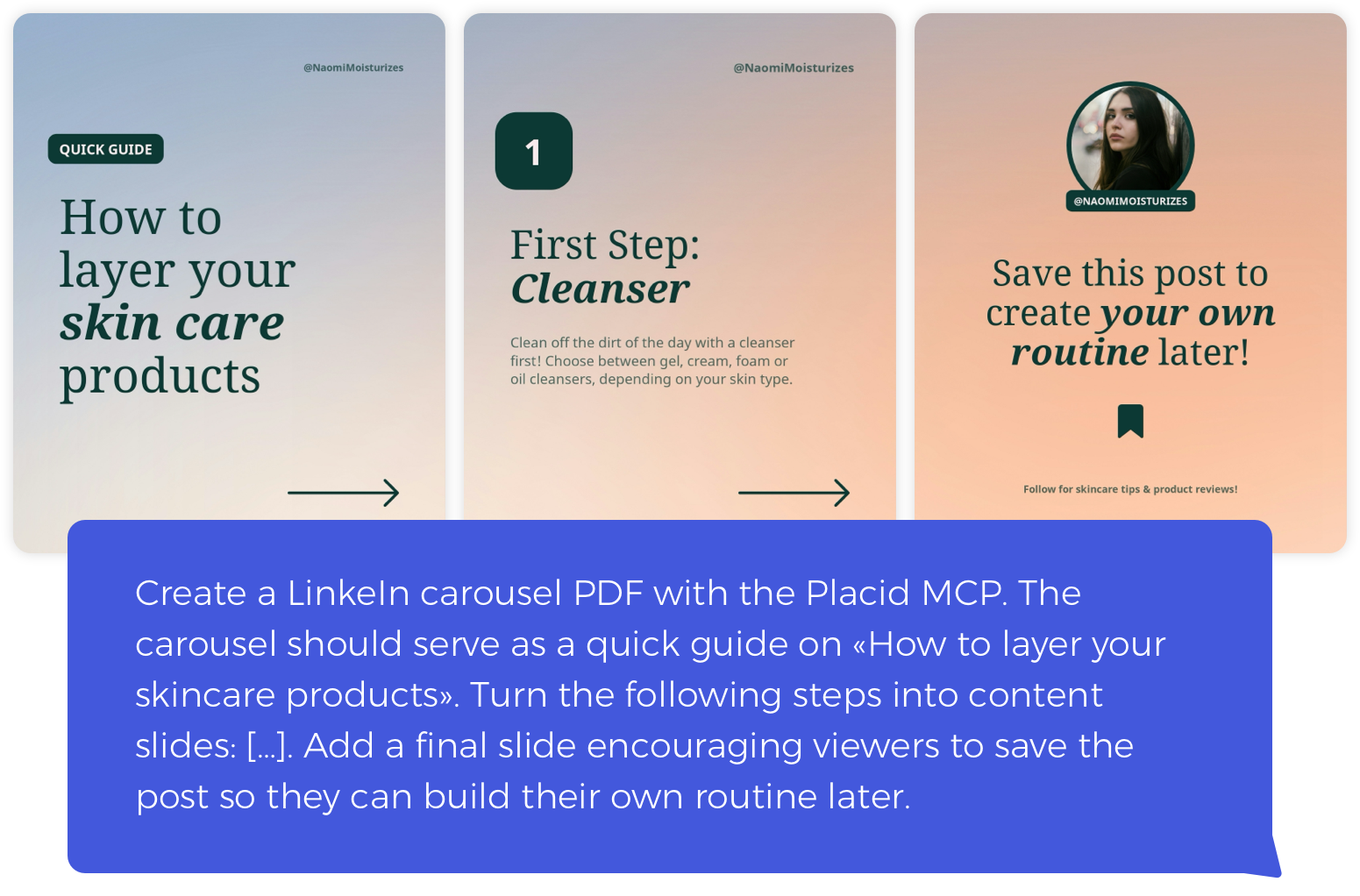
All outputs are still fully template-driven, and the MCP does not invent visuals or generate imagery.
2. AI-assisted Implementation Guidance
Use the MCP as a documentation-aware assistant to guide your integration: Let AI generate API requests and code, configure SDK components, explain template properties or answer questions about features.
Setup
- Create a new Placid project with an MCP integration, or add it to an existing one
- Configure the MCP's settings like template access and permissions
- Connect the Placid MCP to your AI agent
For a detailed setup walkthrough, refer to our Placid MCP setup guide.